Rocky Mountain Radar is one of the biggest scammers in the radar detector industry. They sell products with wild claims, primarily that their detectors can “scramble” police radar and laser guns, preventing officers from getting your speed. They dress this up in technical-sounding language designed to confuse buyers who don’t know any better.
The Odin 2.0 is their latest detector. It retails for $399. The original Odin and the Odin 2.0 share the same fundamental architecture, but the 2.0 claims improvements to laser detection and false alert filtering. My testing was done on the original Odin. None of those changes address the scrambling, POP detection, Spectre immunity, or radar performance issues documented in this review.
Amazon Big Spring Sale 2026 runs Mar 25–31. Tons of discounts on radar detectors, dash cameras, and accessories. Below are the best deals live now. I also share my top picks in each category.
Full Disclosure: The links in this article are affiliate links. I earn a percentage of each sale which helps me continue doing tests, tutorials, and reviews at no cost to you. Continue reading
Need help with your radar detector, laser jammer, dash camera, or third party app? Whether you’re troubleshooting an issue, need to reference the manual, or looking for the latest firmware, this page pulls together the key support resources you’ll need to help solve your problems.
For each brand you’ll find links to the community forums (where fellow owners can help), the manufacturer’s official support page, contact info, support hours, manuals, and firmware updates. Some brands also have active forum reps who post regularly and can assist directly.
Cobra RAD 700i ($259): Best pick under $300. Reasonable range, good BSM filtering, automatic GPS lockouts, Bluetooth, and cloud alerts.
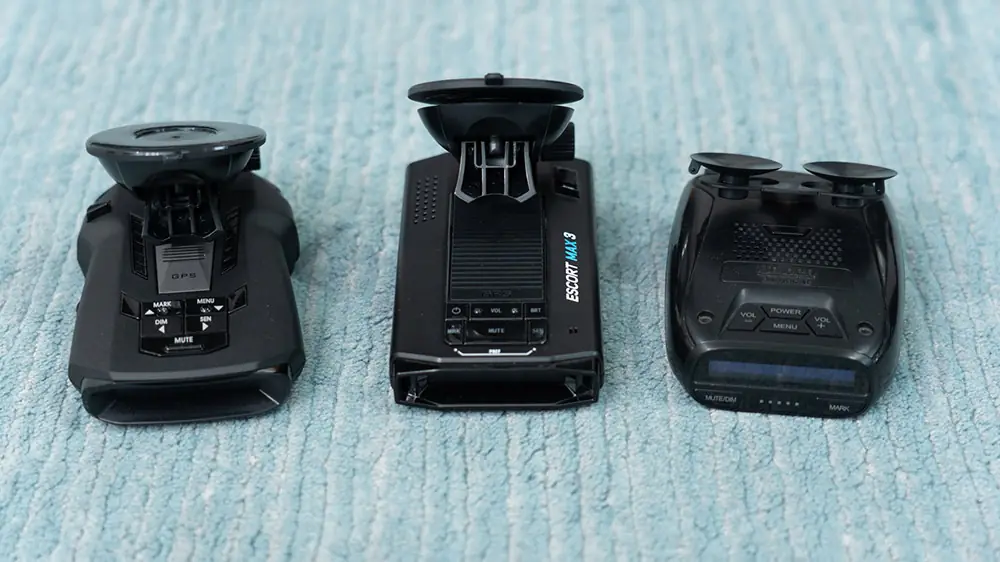
Escort Max 3 ($299): Nice features so tempting on paper, but Escort moved on to the Max 4 without fully fixing the platform. Real alerting concerns against certain Ka guns.
Uniden DFR7 ($224): Budget fallback. Older and simpler, but solid performance against the most common Ka frequency.
Whistler CR93 ($220): Recently revived by new ownership, but an outdated platform with no GPS lockouts. The DFR7 outperforms it for $4 more.
Full Disclosure: The links in this article are affiliate links. I earn a percentage of each sale which helps me continue doing tests, tutorials, and reviews at no cost to you.
Full Disclosure: The links in this article are affiliate links. I earn a percentage of each sale which helps me continue doing tests, tutorials, and reviews at no cost to you. Continue reading
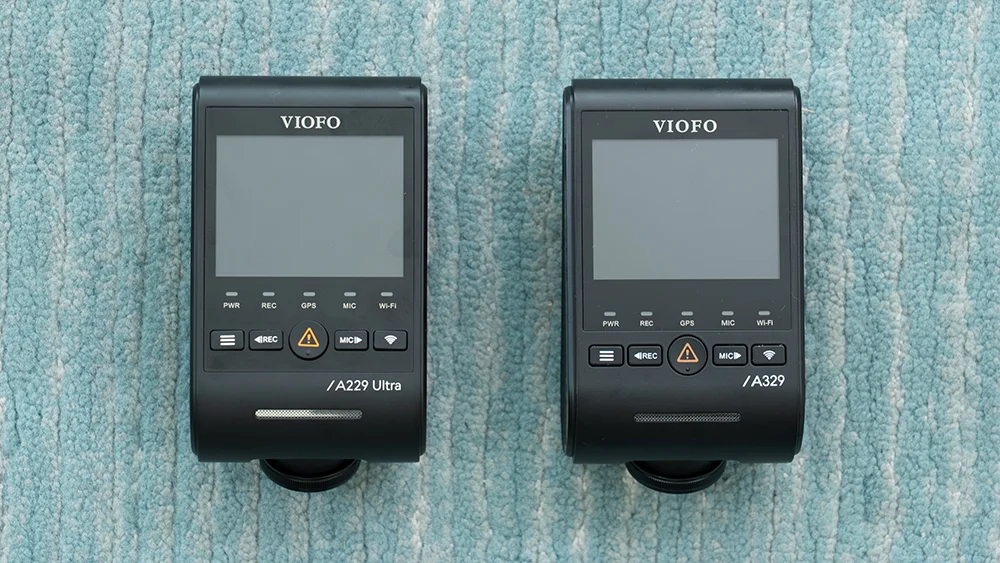
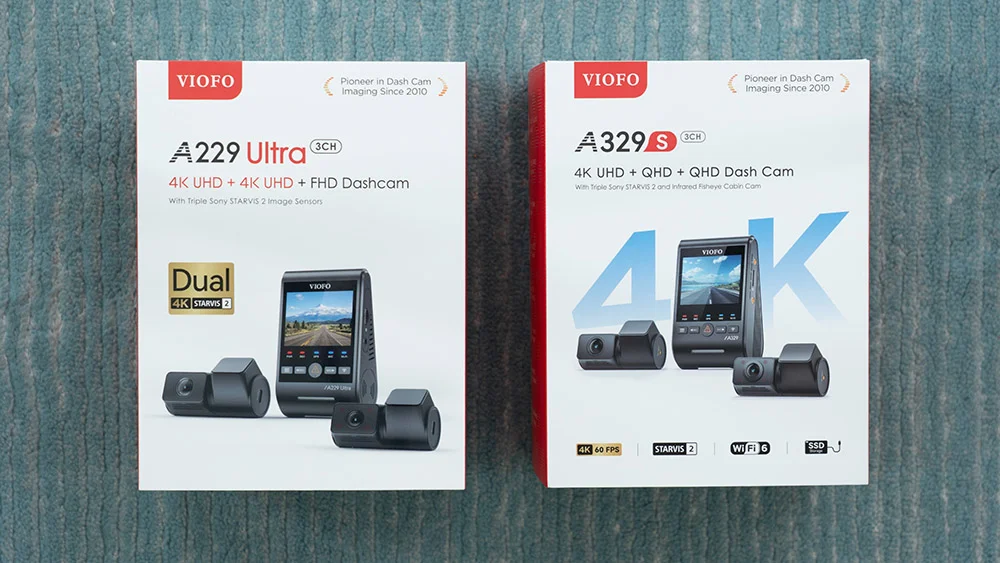
The Viofo A229 Ultra is the newest release in the A229 line while the A329S sits a tier higher in Viofo’s product range. Both offer excellent video quality and coverage, but there are some important differences in sensors, cabling, recording features, and overall design. Here’s how they compare.
Front Camera
The A229 Ultra uses the same 4K Sony Starvis 2 IMX678 sensor as the A229 Pro and A329S. In the launch firmware, its bitrate drops when running 2CH or 3CH, while the A329S maintains a higher bitrate in every mode. The difference is noticeable when recording lots of fine detail such as trees or signs. Viofo has confirmed a firmware update is coming that will keep the Ultra’s front bitrate at full quality in 1CH and 2CH, with only the 3CH bitrate dropping.
Front cam comparison: A229 Ultra (left) and A329S (right)
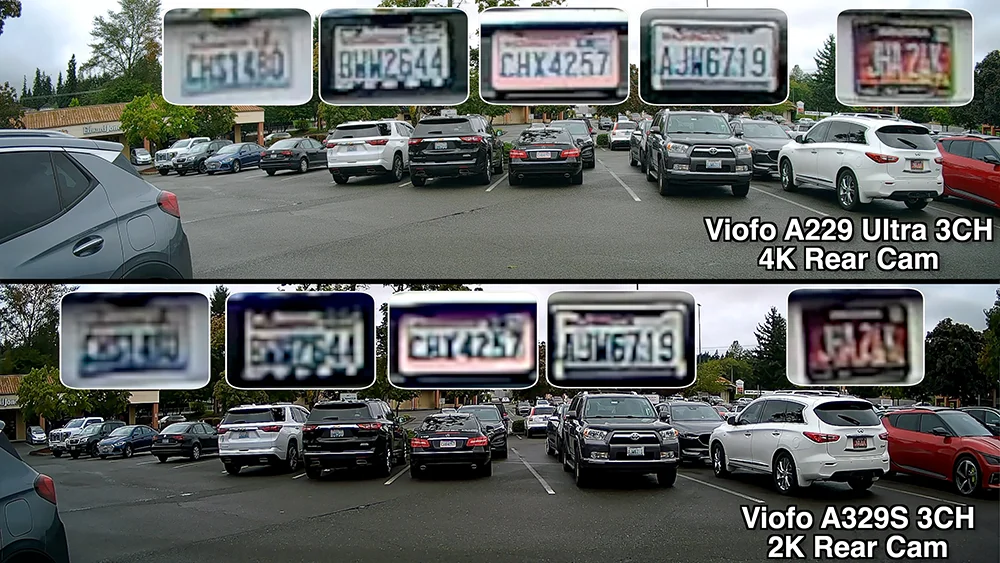
The A229 Ultra has the edge here with a 4K rear camera compared to the A329S’s 2K rear. The extra resolution makes it easier to capture plates or faces from farther away. It does not eliminate motion blur, so moving vehicles will still appear streaky, but the added detail is helpful when incidents happen at a distance.
Rear cam license plate detail comparison
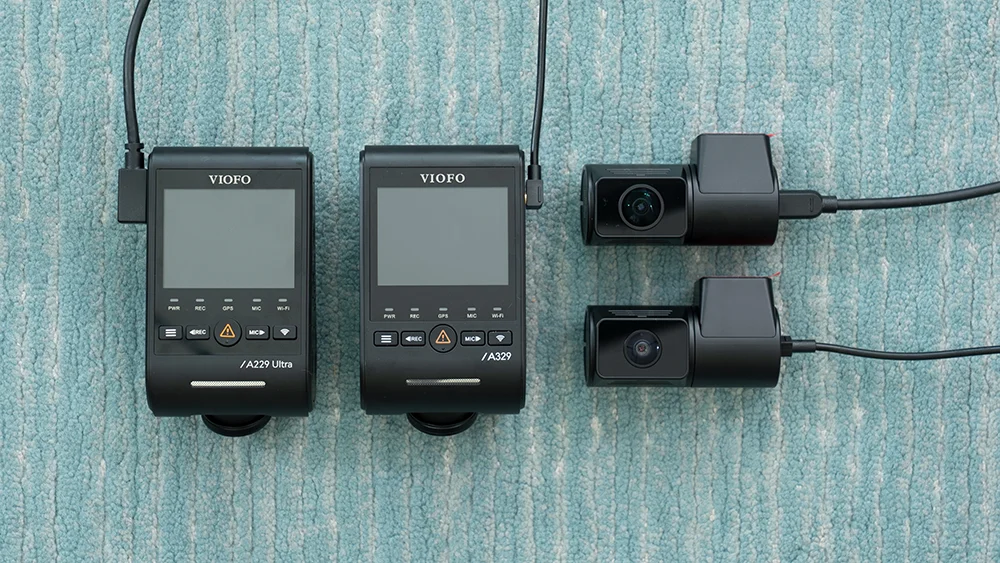
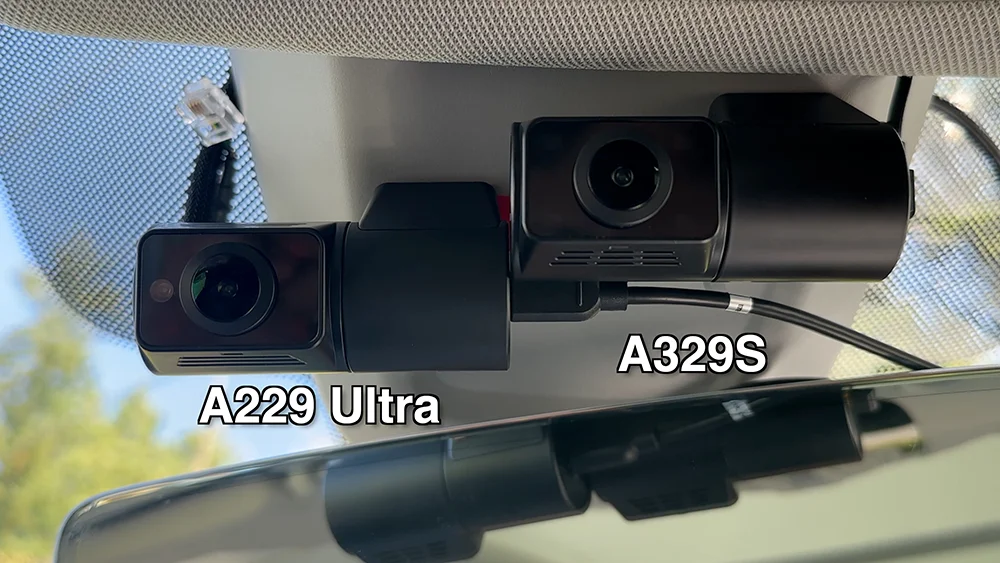
The Ultra’s USB cables are thicker than the A329S’s coax, making them a little bulkier to route, but the ability to reuse existing A229 wiring is a nice perk if you’re upgrading.
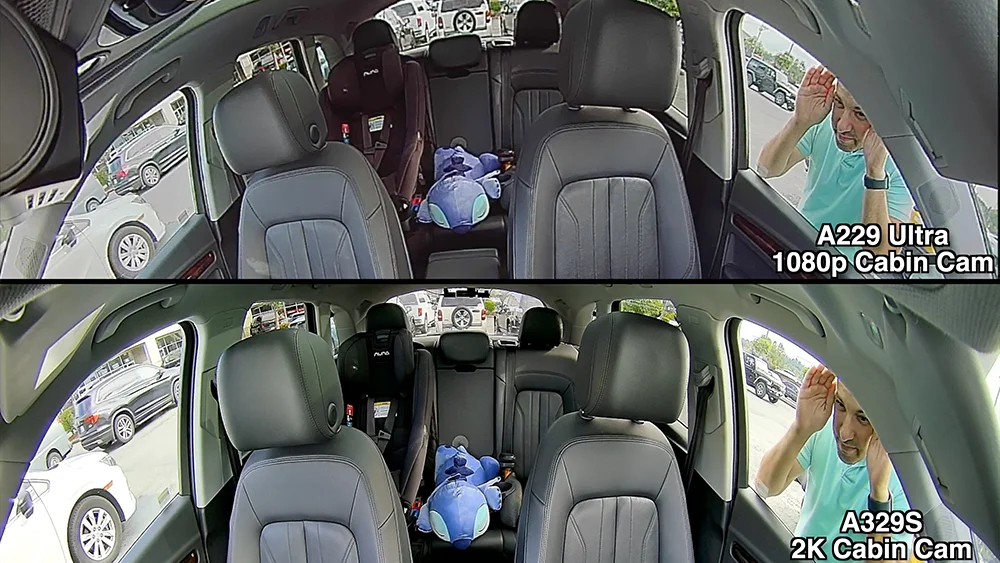
The A229 Ultra comes with a 1080p ultra wide interior cam while the A329S offers a 2K interior camera. Resolution is less critical for monitoring passengers inside the car since everything is close, but the A329S’s extra detail is useful if you want to capture what’s happening outside your side windows. That makes it the stronger option for rideshare drivers or anyone who prioritizes interior clarity.
Interior cabin cam comparison
The Ultra’s 210° lens also provides excellent coverage of both side windows, but the footage doesn’t capture as much fine detail as the A329S’s sharper 2K interior cam. HDR is always on with the Ultra, while the A329S lets you toggle it, but in practice I find it’s better to leave HDR on anyway. One installation difference worth noting is that the Ultra’s interior cam cable sticks straight out, while the A329S uses a compact 90° connector for a cleaner setup.
Pro tip: If you already run an A229 Plus or Pro, you can order the new ultrawide interior cam separately to upgrade your existing system. The 4K rear cam is not cross-compatible.
Telephoto Options
The A229 Ultra has no telephoto support. If you want a telephoto view, you’ll need one of the A329 variants such as the A329T or A329TC, similar to the telephoto lens for the A229 Plus or A229 Pro to make the A229 Pro Tele. This flexibility is a big advantage for the A329S lineup.
New Parking Modes
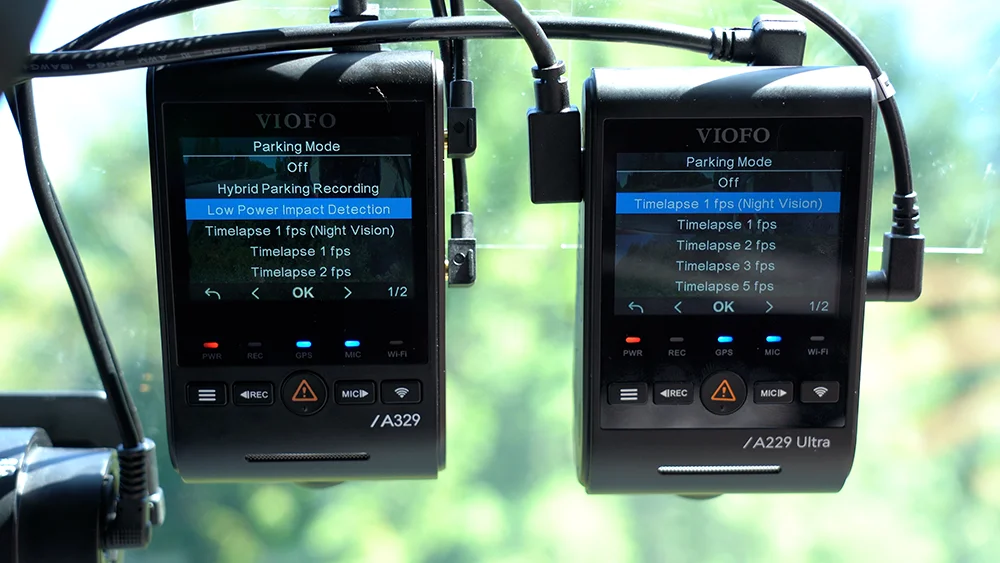
The A329S adds some additional parking mode options, specifically the new low power options to give you long term parking recording. Instead of recording for about a day, it can now record for over a week.
A329S (left) adds Hybrid & Low Power Parking Modes
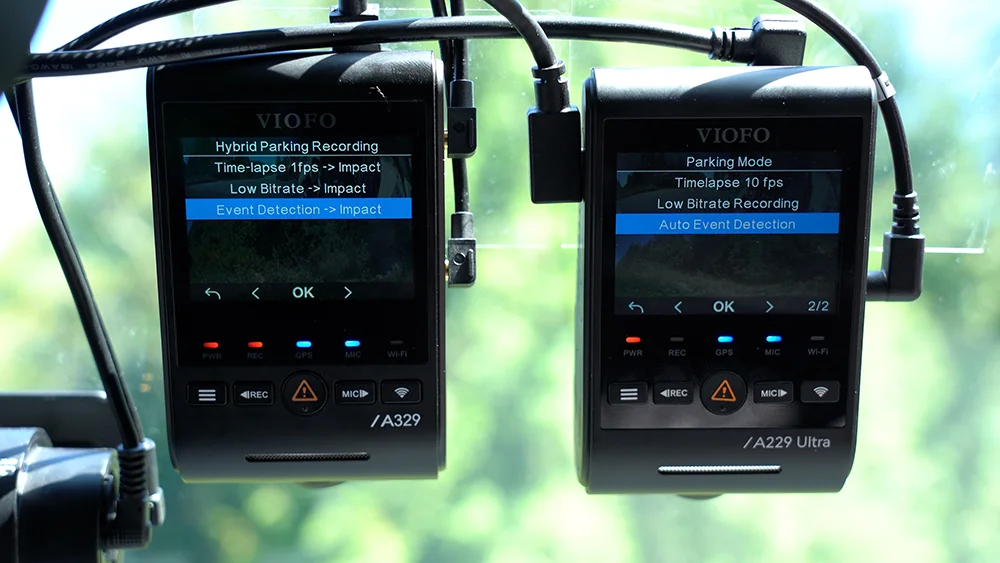
The new hybrid parking mode allows you to run the dashcam in one of the traditional parking modes initially and then switch to low power parking mode. This way instead of shutting off altogether, you continue to get extended protection while parked.
A329S (left) with Hybrid Parking Recording options
Note: Low power parking recording and hybrid parking recording with a timer are available using both the HK4 and HK6 parking mode cables. To use hybrid parking recording and switch modes based on voltage levels of your car battery, you’ll need the HK6. For more info, watch this video.
WiFi File Transfer Speeds
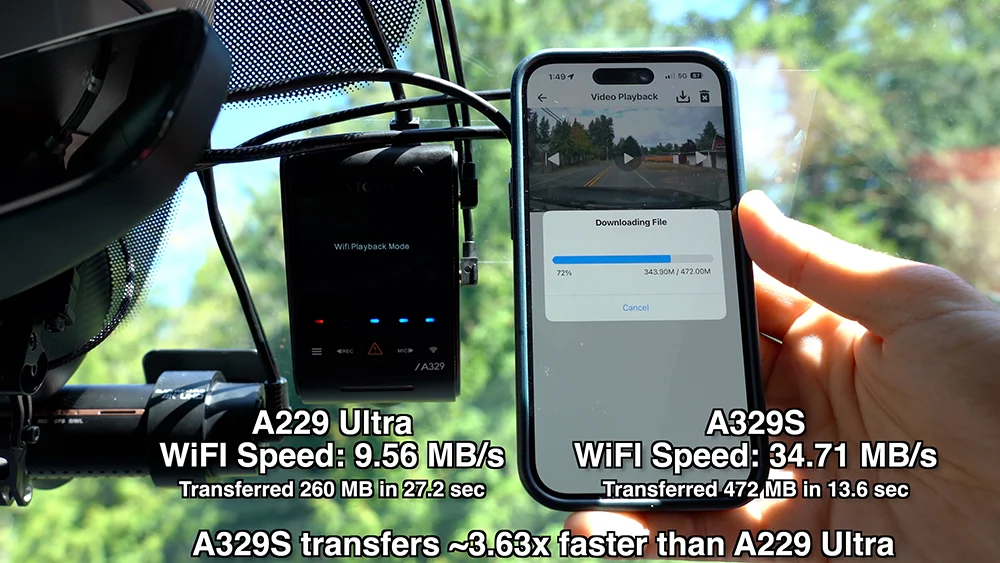
The A329S supports WiFi 6, and in testing transfers are more than three times faster compared to the A229 Ultra. If you regularly download footage to your phone, this is a noticeable upgrade.
WiFi Transfer Speed Testing
Other Features
The A329S also benefits from a more advanced chipset which unlocks additional features that the A229 Ultra does not have:
Multiplexing: Combine multiple camera views into a single video file, so you can review and share front, interior, and rear angles together instead of juggling separate clips.”
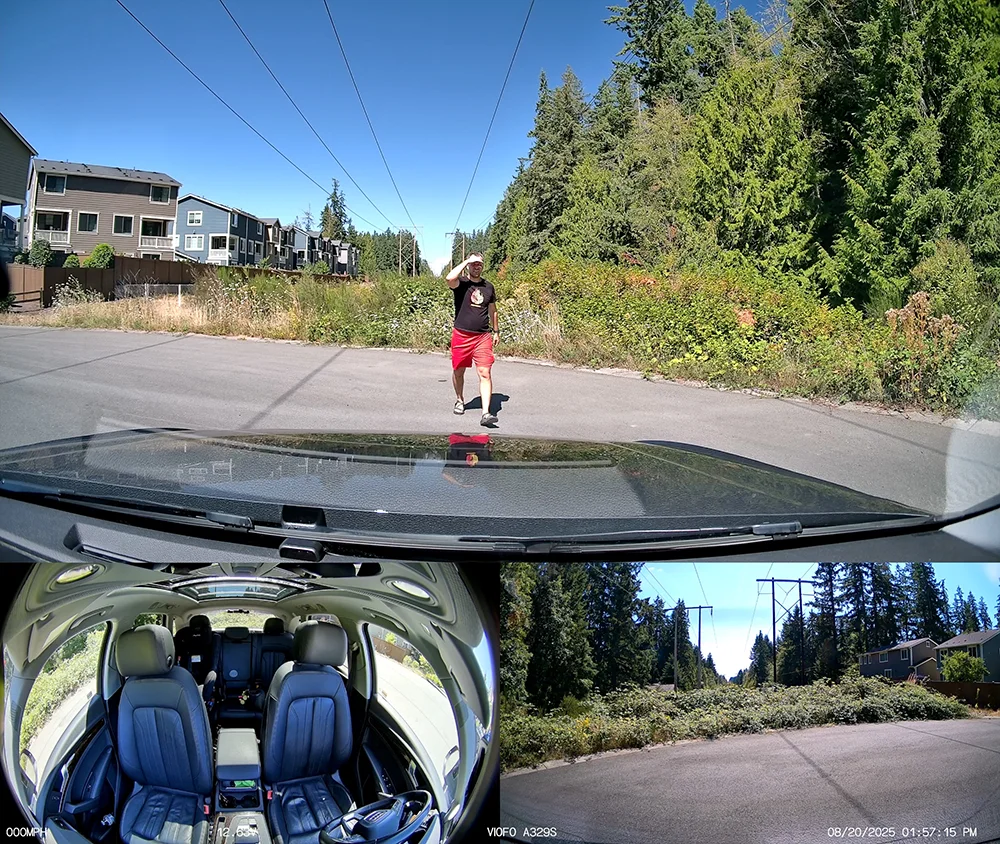
A329S 3CH Multiplexed: Simultaneously viewing front, inside, and rear
SSD Support: Expand storage with an external SSD (up to 4TB) for extended recording, useful if you drive long hours or want more recording time before your MicroSD card (up to 512 GB) fills up and begins overwriting older clips.
These features make the A329S a more premium, feature-rich platform compared to the A229 Ultra.
Both the A229 Ultra and A329S deliver excellent video quality, but the A329S is the more premium, feature-rich choice overall. The Ultra is a solid option if you want 4K front and rear with compatibility for existing A229 wiring, while the A329S adds features like higher bitrate recording, sharper interior footage, faster WiFi transfers, telephoto support, and advanced parking modes.
If you’d like a high end dashcam and you don’t need some advanced features like the long term parking recording, multiplexing capability, or SSD support, the A229 Ultra will do the job well. If you want the best overall system, especially in 3CH setups, the A329S is worth the higher price.
The A229 Pro has been one of Viofo’s most popular dashcams thanks to its balance of features and performance. It’s even been my primary dashcam in both of my vehicles. The new A229 Ultra builds on that success, keeping the same strong front camera while upgrading the rear to 4K and widening the view inside the cabin. It is essentially the Pro with upgraded camera options and more complete coverage.
Time for another dashcam giveaway! This time I’m passing on many of the dashcams that I’ve previously used in testing and no longer need, so let’s put them to good use and get them on your windshields to help keep you safe and protected.
Giveaway runs through August 7th and winners will be notified by email on August 8th.
Full Disclosure: The links in this article are affiliate links. I earn a percentage of each sale and this allows me to continue doing tests, tutorials, and reviews at no cost to you.